Industry news

View: 24

Release time:2026-11-03
Why EDID Configuration Matters for Wine Bottle LED Displays
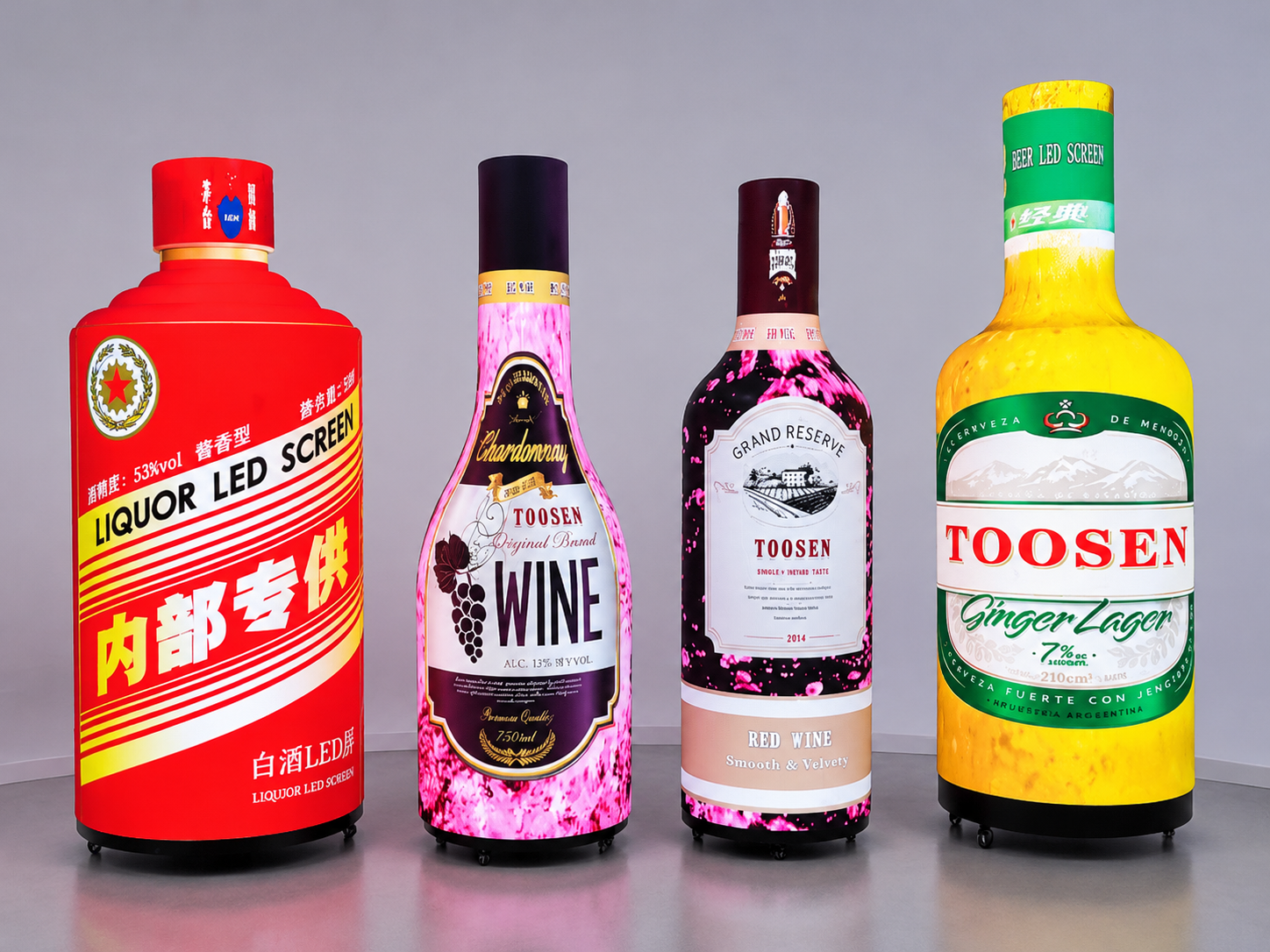
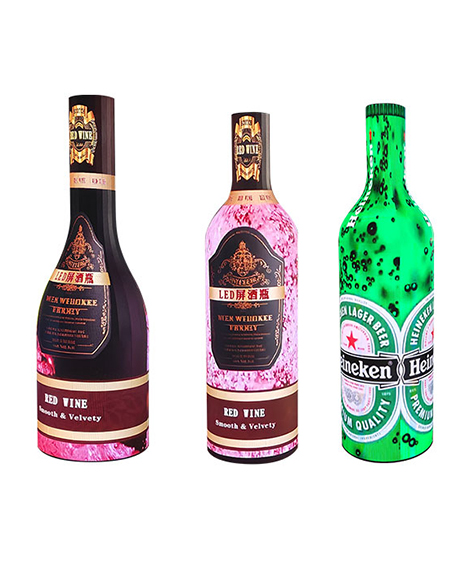
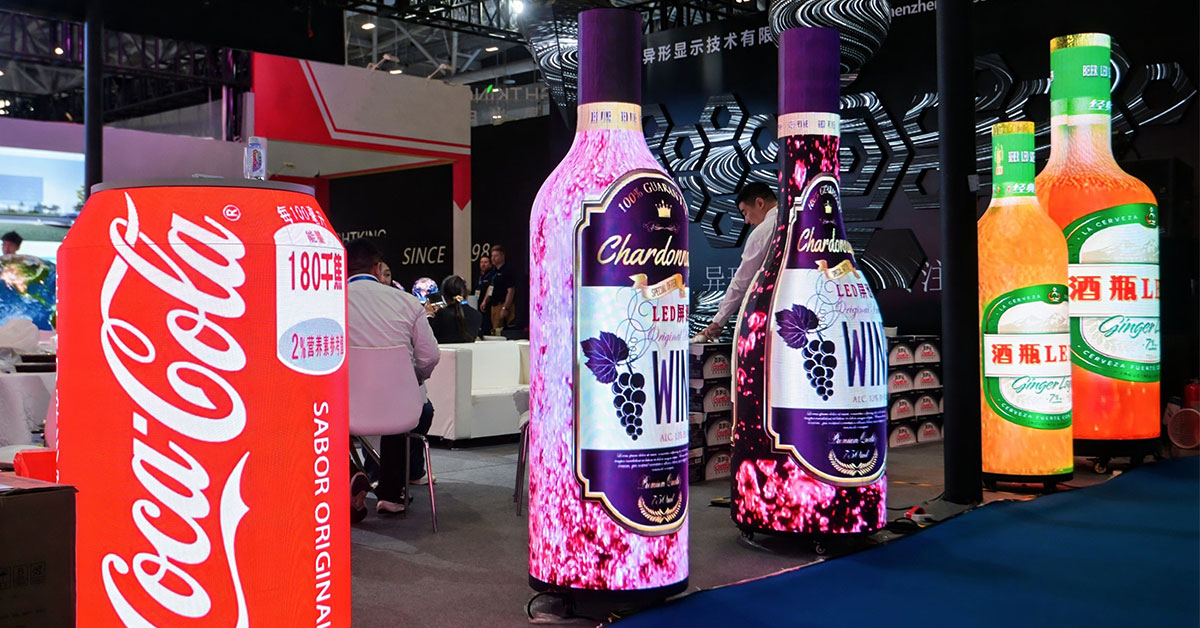
A wine bottle LED display has a very different screen shape from a standard rectangular LED video wall. Its curved surface and customized dimensions create special requirements for video signal configuration.
One common problem during installation is that the video source resolution does not match the actual LED screen canvas. The display may show stretched images, cropped content, black areas, or incorrectly positioned graphics.
This problem is not always caused by the LED modules. In many cases, the issue comes from incorrect EDID settings or an unsuitable output resolution from the video source.
EDID (Extended Display Identification Data) is a data format that allows a display device to communicate its supported resolution, refresh rate, and other display capabilities to a connected video source.
For a customized wine bottle LED screen, correct EDID configuration helps the computer or media player recognize the appropriate output mode before sending video signals to the LED control system.
An incorrect resolution can affect both image quality and content presentation.
Common problems include:
Image stretching: Bottle labels, logos, and product images appear wider or narrower than their original proportions.
Content cropping: Important text or graphics disappear because the output image exceeds the configured canvas.
Black areas: Part of the LED surface remains unused because the source resolution does not match the screen dimensions.
Incorrect positioning: Content appears shifted, especially around the upper and lower sections of a curved display.
Unstable signal detection: The media player may repeatedly switch display modes when it cannot identify a suitable resolution.
For beverage brands and retail projects, these problems can reduce the visual impact of a customized LED installation. A bottle-shaped screen should present brand graphics clearly while maintaining the proportions of the original product design.
There are several possible reasons.
First, the video source uses a standard resolution.
Many computers and media players automatically select common formats such as 1920 × 1080 or 3840 × 2160. However, a customized wine bottle LED display may require a non-standard canvas.
Second, the control system has a different resolution setting.
The video processor may receive one resolution while the receiving cards are configured for another pixel arrangement. This creates a mismatch between the input signal and the actual display area.
Third, the screen mapping is incorrect.
A wine bottle LED display is usually assembled from curved or specially arranged LED modules. If the module positions and pixel coordinates are not mapped correctly, the displayed content may not follow the physical shape.
Finally, EDID information may be incomplete or incorrectly configured.
If the source device cannot identify the required display mode, it may select an unsuitable resolution automatically.
A reliable configuration process should start with the actual LED screen parameters rather than the default computer resolution.
Step 1: Confirm the LED screen's native pixel dimensions
Ask the LED manufacturer for the total pixel width and height of the display canvas. These values should be based on the actual receiving-card mapping, not simply the physical dimensions of the bottle.
For example, a customized screen might use a canvas of 512 × 1024 pixels. This is only an example; the correct values depend on the specific project.
Step 2: Check the video processor's input and output settings
Connect the media player or computer to the video processor. Check the detected input resolution and compare it with the required screen canvas.
If the system supports custom output resolutions, enter the appropriate width and height.
Step 3: Configure EDID information
Use the video processor, EDID emulator, or compatible display configuration software to provide the correct supported timing information to the source device.
The source should recognize a supported output mode. If the required custom timing is unavailable, check whether the processor supports EDID editing or custom timing configuration.
Remember that EDID communicates supported display modes. It does not automatically create the LED screen's pixel mapping.
Step 4: Adjust scaling and mapping
Set the video processor's scaling mode according to the actual screen canvas.
Avoid stretching the original video to fill the entire screen without checking its aspect ratio. For curved bottle-shaped displays, content may also require customized layout adjustments to account for the physical viewing surface.
Step 5: Save and restart the signal chain
Save the configuration, restart the media player if necessary, and reconnect the signal.
Check whether the source device consistently recognizes the configured resolution after restarting.
A successful EDID configuration should be verified through practical testing.
The following checks are useful:
Resolution test: Confirm that the input and output resolutions match the approved configuration.
Grid test: Display a grid pattern to identify missing pixels, incorrect mapping, and uneven content positioning.
Aspect ratio test: Use circles, squares, and product logos to check whether images retain their intended proportions.
Edge test: Display test lines near the boundaries of the canvas to identify cropping or unused areas.
Signal restart test: Disconnect and reconnect the video source several times to check whether the correct resolution is detected consistently.
Content playback test: Play the actual advertising video to check text readability, image placement, and visual continuity.
It is also important to test the display from different viewing angles. Because the screen has a curved bottle-shaped surface, content that looks correct on a computer monitor may require further adjustment when displayed on the physical LED structure.
A typical configuration includes several components:
Wine Bottle LED Display: The customized curved LED screen that presents advertising and brand content.
Video Processor: Handles input signals, output resolution, scaling, and image processing.
Sending Card: Transfers processed video data to the LED receiving system.
Receiving Cards: Control the individual LED modules according to the configured pixel mapping.
Media Player or Computer: Provides the original video content.
Signal Cables: HDMI, DisplayPort, or other compatible connections depending on the equipment.
For customized projects, the video processor and control system should be selected according to the total pixel load, input requirements, and screen configuration.
You can learn more about TOOSEN's Wine Bottle LED Display, which supports customized cabinet sizes, multiple pixel pitches, and synchronous or asynchronous control systems.
EDID configuration is particularly important in projects where the screen must display customized brand content.
In wine shops, bottle-shaped LED displays can show product introductions, wine labels, and promotional videos. Correct resolution settings help keep logos and text clear.
In shopping malls, oversized bottle-shaped LED installations often serve as advertising landmarks. A properly configured video canvas helps prevent content from being cropped or distorted.
At product launches and exhibitions, multiple creative LED displays may work together. Matching their signal settings helps maintain consistent content playback across the installation.
For these projects, resolution configuration should be completed before the final advertising content is produced.
Q1: What is EDID in an LED display system?
EDID is display identification information that tells a connected video source which display modes, resolutions, and refresh rates are supported.
Q2: Does EDID determine the actual LED screen resolution?
No. EDID communicates supported signal modes. The actual LED canvas resolution is determined by the screen's pixel arrangement and control system configuration.
Q3: Can a wine bottle LED display use a custom resolution?
Yes. Many customized LED systems support non-standard resolutions through compatible video processors and control software. The available modes depend on the equipment.
Q4: Why does my wine bottle LED display show stretched images?
Possible causes include incorrect scaling, mismatched aspect ratios, unsuitable output resolution, or incorrect screen mapping. Check these settings before replacing LED modules.
Q5: Should EDID configuration be completed before content production?
Yes. Confirming the screen canvas and output resolution first allows designers to prepare videos and images using the correct dimensions.
Founded in 2014, TOOSEN specializes in the research, development, and manufacturing of creative LED display solutions.
Our wine bottle LED displays support customized shapes, sizes, and pixel pitches to meet different branding and commercial requirements. Available configurations include P1.2 to P4 options on the product range, with indoor and outdoor solutions for different installation environments.
Beyond manufacturing, TOOSEN provides technical support covering product design, structural customization, control system configuration, installation guidance, and project debugging.
With manufacturing facilities in Shenzhen and overseas support resources, including offices in Denmark and South Korea and a warehouse and service center in Germany, we serve customers across international markets.
Whether you are planning a wine bottle LED display for a retail store, exhibition, shopping mall, or beverage brand promotion, our team can help evaluate the screen structure and control requirements.
Contact TOOSEN to discuss your customized wine bottle LED display project and find a suitable solution for your content and resolution requirements.
 +86 18688923792
 andy@tosled.com